Identities Using AI


© 2026 Sonrai Security. All rights reserved.
Overview
Cloud Permissions Firewall (CPF) identifies the identities in your cloud that are involved with AI, and labels them so you can see the scope of AI activity without leaving your current view.
In AWS, an identity is labeled Using AI when CPF detects either of the following:
AI Agent Roles
The identity is a role that an AI service is permitted to assume, so an AI agent operating in your cloud could act with that role's permissions.
AI Tool Activity
The identity's recent cloud activity includes requests made through a known AI tool or agent, such as Amazon Q Developer or the AWS MCP Server.
In GCP, an identity is labeled when it is granted a Google Cloud AI or machine learning role. See GCP: AI Roles.
Why It Matters
AI agents and assistants act with the permissions of the identities they use. A role that an AI service can assume, or a person who runs cloud commands through an AI assistant, extends what AI can do in your environment, often without that being visible in day-to-day reviews.
Labeling these identities lets you:
- See at a glance how many of the identities in a hero card are involved with AI.
- Consider AI workloads before you quarantine an identity, remove excess privilege, or block a service.
- Review whether AI-related identities hold more access than they need.
In AWS, the label identifies roles that are accessible to AI services and identities that act through AI tools. It does not mark every identity that has permissions to call AI service APIs. In GCP, the label is based on the AI roles an identity is granted.
How Identities Are Labeled
AWS: AI Agent Roles
CPF reads the trust policy of each AWS Identity and Access Management (IAM) role. A role is labeled when a statement in its trust policy references Amazon Bedrock as a principal, which typically means Bedrock can assume the role on your behalf. This includes:
| Service | Service Principal | Typical Use |
|---|---|---|
| Amazon Bedrock | bedrock.amazonaws.com | Bedrock Agents, Knowledge Bases, and model customization jobs |
| Amazon Bedrock AgentCore | bedrock-agentcore.amazonaws.com | AgentCore runtimes, gateways, and other agent infrastructure |
This label is based on configuration, not activity. A role keeps the label for as long as its trust policy references Bedrock, whether or not an agent has used it recently.
AWS: AI Tool Activity
CPF reviews the AWS CloudTrail activity of your identities. By default, an identity is labeled when, within the last 90 days, it made a request (successful or denied) that came through an AI tool or agent. CPF recognizes:
- AWS MCP Server: requests invoked by
aws-mcp.amazonaws.com. - Amazon Q Developer: requests that Amazon Q Developer makes on a user's behalf, such as from the Q Developer CLI or IDE plugins, recognized by
amazonqin the request's user agent. - AI agent frameworks that identify themselves in the request's user agent: for example LangChain, LangGraph, Strands Agents, and CrewAI.
A tool that does not identify itself in one of these ways is not detected.
If an identity has no AI tool activity for 90 days, the label is removed.
Calling an AI model is not, on its own, AI tool activity. Actions whose name starts with Invoke or Converse — for example Amazon Bedrock InvokeModel and Converse, or AWS Lambda Invoke — are not considered when CPF applies this label.
Federated and Identity Center Users
When the activity comes from an AWS IAM Identity Center permission set, an Account Access session, or a SAML-federated session, CPF labels the person who signed in rather than the role they used. This means the label follows the user across every account in which they act through an AI tool.
GCP: AI Roles
CPF reviews the Identity and Access Management (IAM) roles granted to your GCP identities. An identity is labeled when it holds a role from one of these role families:
| Role Family | Google Cloud Product |
|---|---|
roles/aiplatform.* | Vertex AI |
roles/automl.* | AutoML |
roles/ml.* | AI Platform (legacy) |
roles/notebooks.* | Vertex AI Workbench notebooks |
Service accounts, Google groups, and federated non-person identities are labeled as AI agents. Users and federated users are labeled as AI users. Both appear with the same AI badge.
This label follows your IAM bindings: it is applied and removed as CPF reads your GCP configuration.
Where You'll See It
AI Count on Hero Cards
Hero cards show an AI count beside their identity totals, for example 35 using AI. The count tells you how many of the identities in that card are labeled as AI.
AI counts appear on these hero cards:
An identity is counted once, even if it is labeled in several accounts.
In GCP, AI labels currently appear in Threat Vectors.


AI Badges in Identity Lists
Wherever identities are listed, an AI badge 
 marks each labeled identity. You'll see it in:
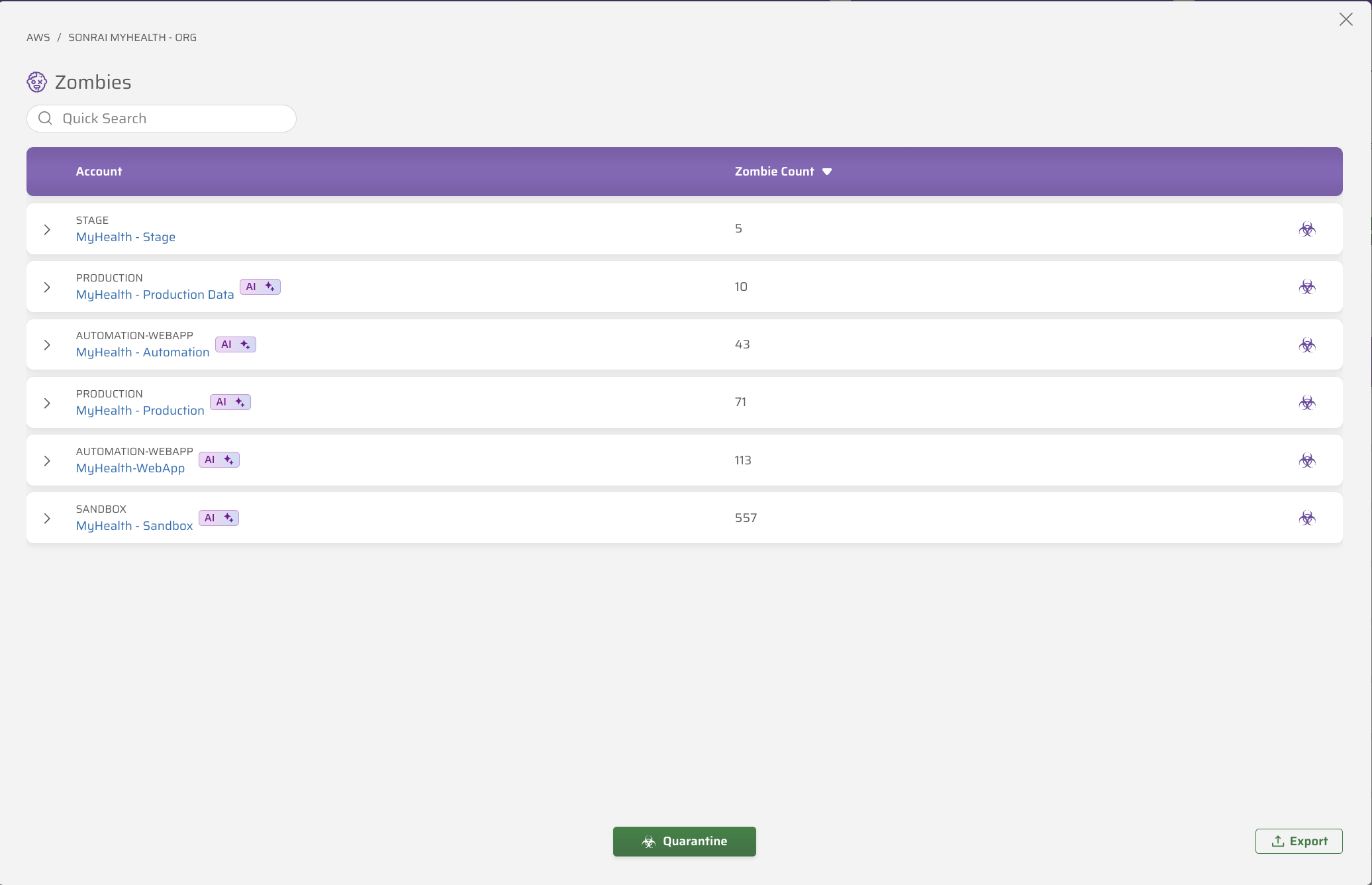
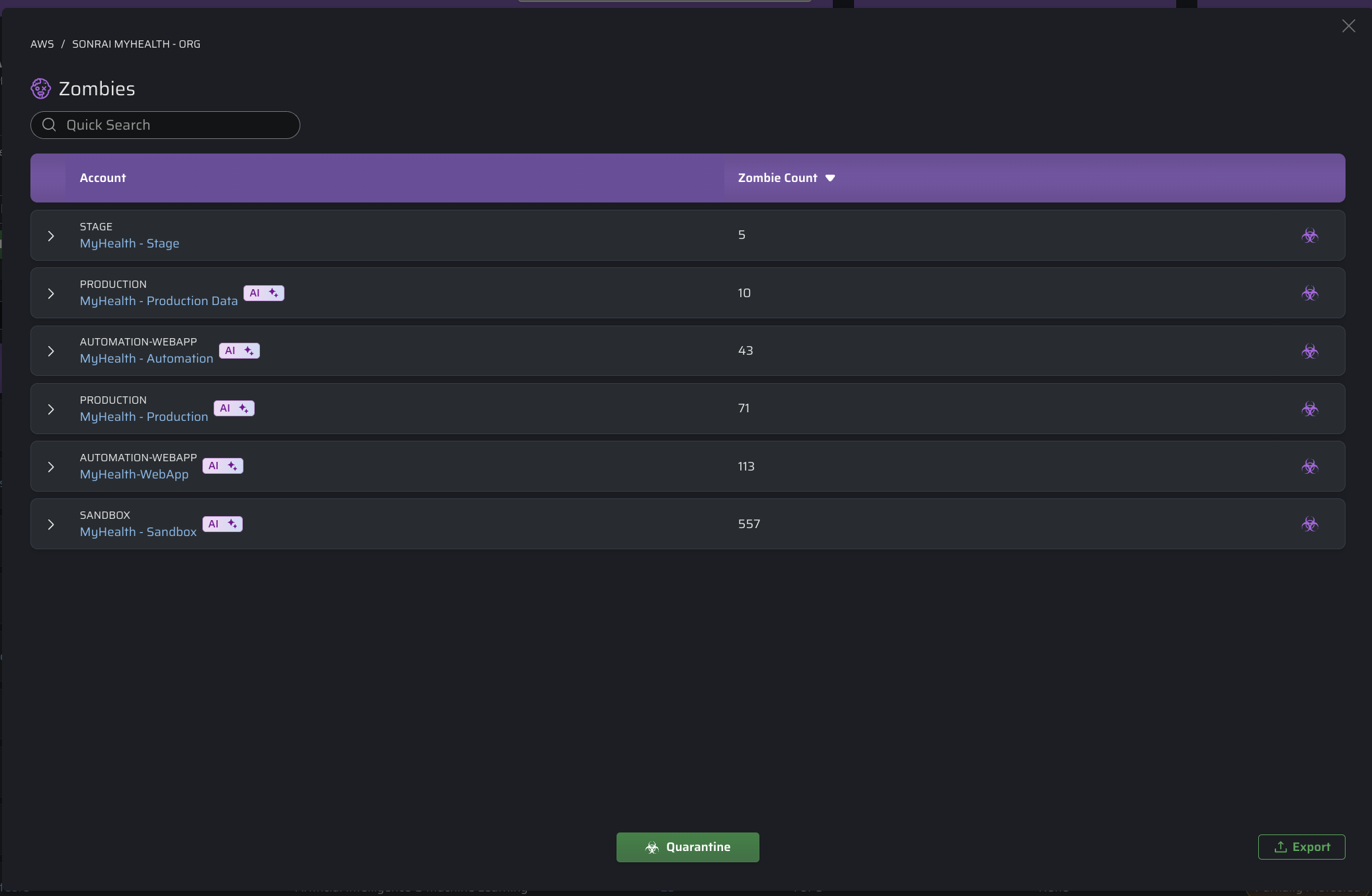
- The preview lists that open from the hero cards, such as Preview Changes on the Zombies card.
- Roles lists and role details.
- Third-party IAM access.
- The identities and usage tables for a threat vector.
For example, in the Zombies preview list, an AI badge on an account row means at least one zombie identity in that account is labeled as AI. Expand the account to see which identities carry the badge.
"Using AI" on the Services Page
When you open a service from the Services page, an AI badge can appear beside an entry in the Account column (Project in GCP) of its details panel.
This badge means that at least one identity exempted from this service's control in that account is labeled as AI. The exemption can be applied or staged in Pending Changes.
It does not mean that:
- the service itself is an AI service, or
- the service is being used by AI.
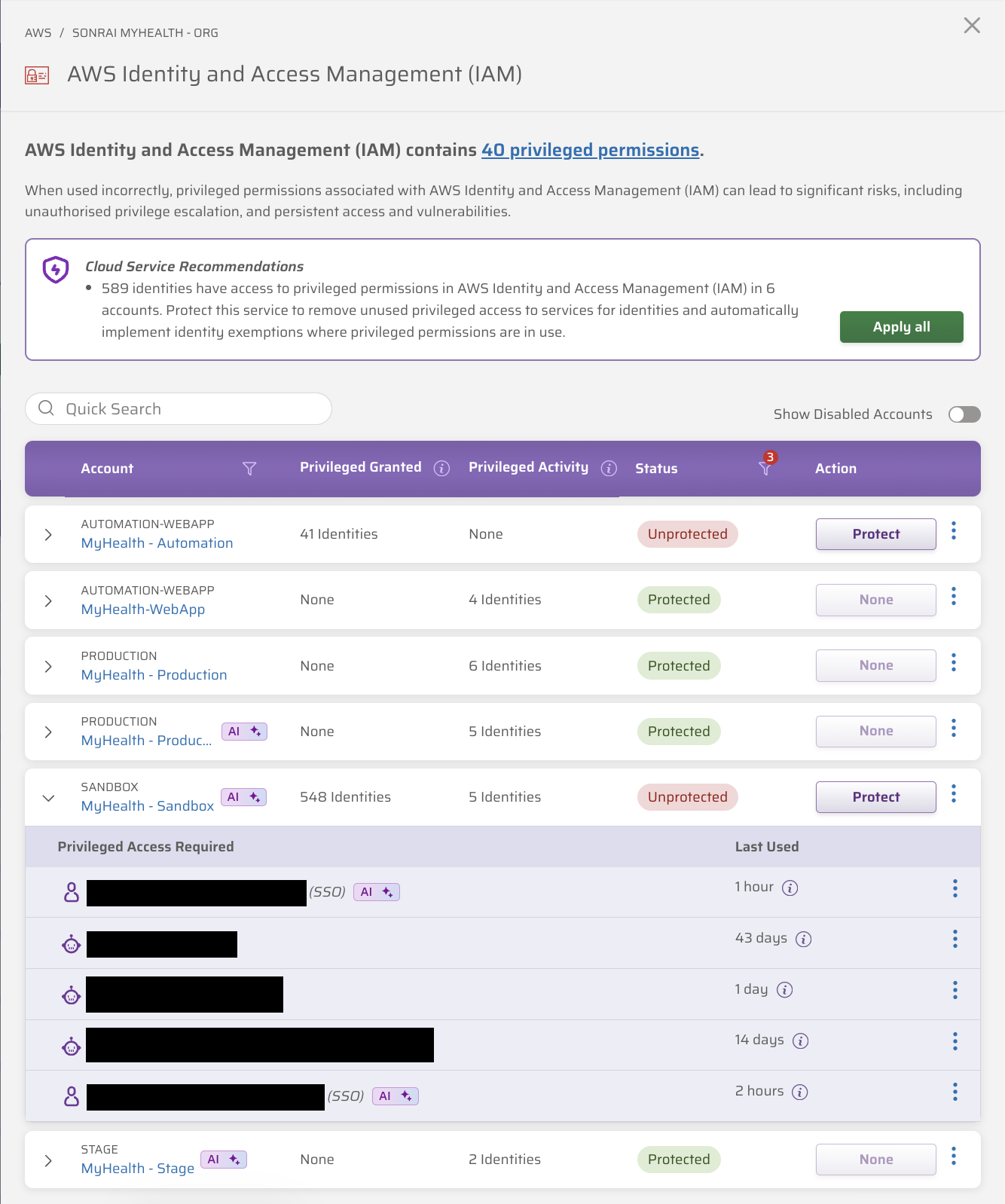
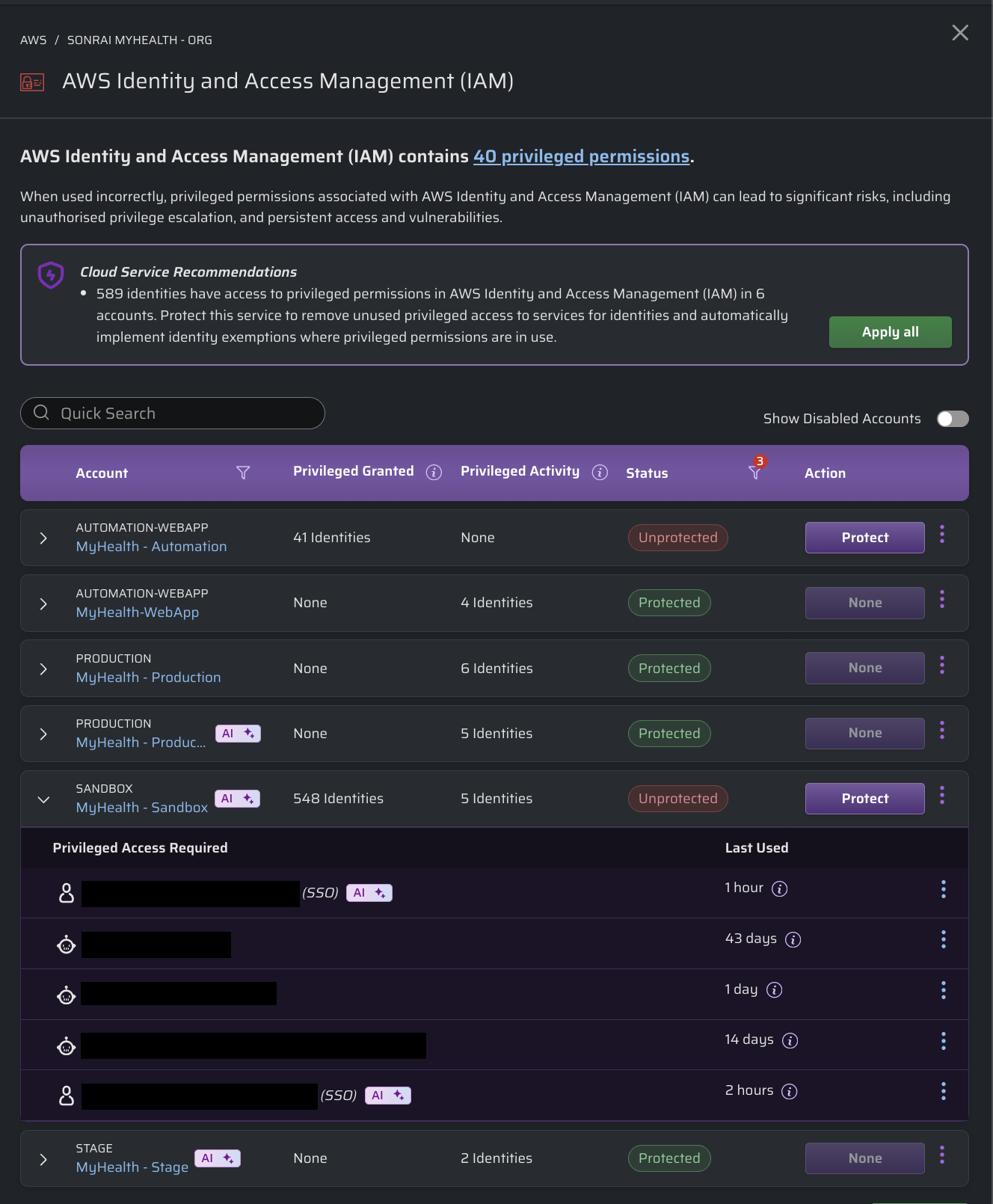
Use the badge as a prompt before you change a service's control. If you remove an exemption, or the identity loses access when the service is blocked, an AI agent or AI-assisted workflow that relies on that identity may stop working. Expand the row to see which exempted identities are involved, then review them in Exempted Identities.
Cloud Support
| Cloud | How Identities Are Labeled | Where Labels Appear |
|---|---|---|
| AWS |
| Hero cards, preview lists, identity lists, and the Services page |
| GCP | AI Roles: granted a Google Cloud AI or ML role | Threat Vectors |
FAQ
What does "using AI" mean on a service?
It means at least one identity exempted from that service's control is labeled as AI. The service itself is not classified. See "Using AI" on the Services Page.
Does an identity get labeled just because it can call Amazon Bedrock?
No. In AWS, permissions to call AI service APIs, such as bedrock:InvokeModel, do not apply the label. A role is labeled when its trust policy references Bedrock, and any identity is labeled when it acts through an AI tool. In GCP, the label is based on granted roles — see GCP: AI Roles.
Why is a role labeled when no AI agent has used it?
AI Agent Roles are labeled from the role's trust policy, not its activity. If the trust policy references Bedrock, the role is labeled whether or not an agent has assumed it. To remove the label, remove Bedrock from the role's trust policy. The label clears after CPF next reads your AWS configuration, and can take several days to disappear from hero card counts.
How long does the AI tool activity label last?
By default, the label stays on an identity for 90 days after its most recent AI tool activity.
Does the label change what CPF blocks or allows?
No. The label is informational. It does not change controls, quarantines, exemptions, or Permissions on Demand (PoD) requests. Use it to inform the changes you choose to make.
Related
- AI Usage in Sonrai CPF: how Sonrai itself uses AI, including WALLy and data privacy.
- Services
- Exempting Identities