Protecting Services & Exempting Identities

© 2026 Sonrai Security. All rights reserved.
Overview
Restricting access to privileged permissions reduces risk in regards to convenient lateral movement methods.
Before you read on for information on implementing service protections & exempting identities' access to privileged permissions, we recommend you first review the Services page to understand key terms/concepts
Take a look at our demo scenario to run through the motions of protecting a service!
Before deploying service protections, please ensure you exempt at least one break glass account!
- Focus Org-wide
- Focus on a Single OU/Account
Focus Org-wide
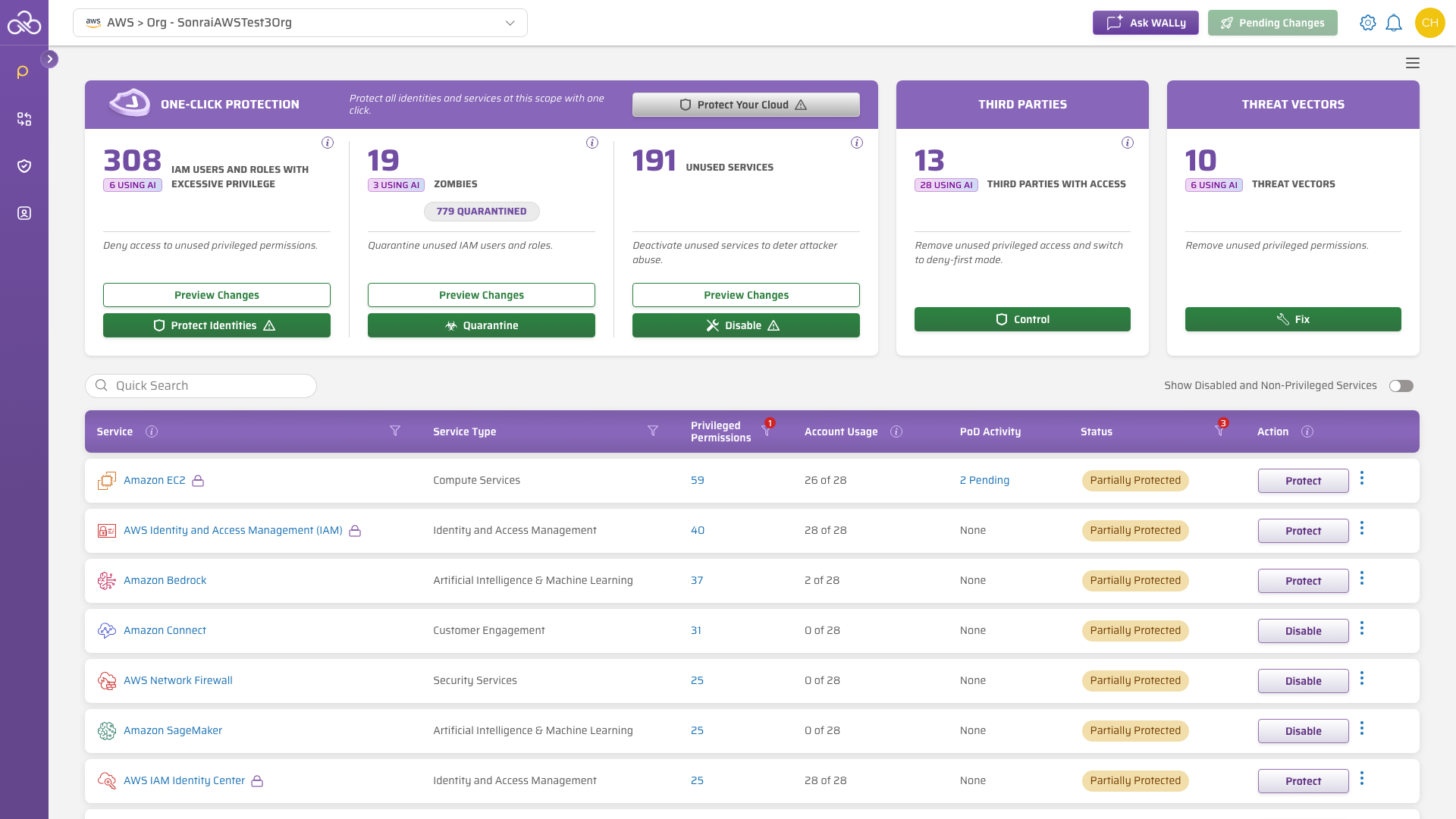
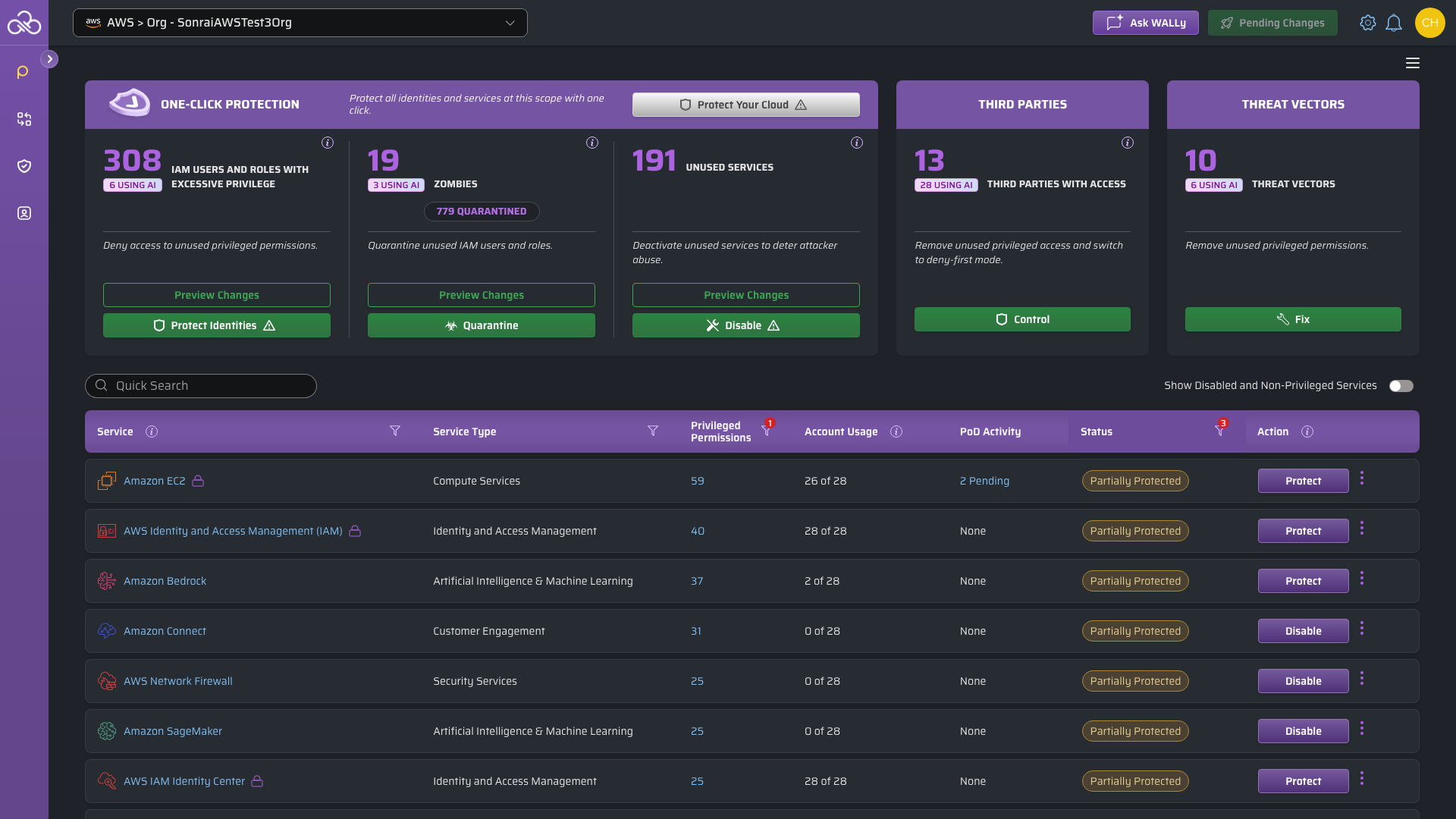
Keeping your scope set to the top-level Org-wide view allows you to make changes most efficiently as said changes will propagate down to the child OUs/Accounts.
If your Org is fairly large, it likely makes more sense to review the next tab on scoping to singular OU(s)/Account(s).
In AWS Organizations, SCPs do not affect the AWS management account, regardless of where they are attached — this is an AWS service limitation that affects what permissions CPF is able to offer protections for with this service.
To enforce least privilege within the AWS Organizations management account, apply IAM policies or permissions boundaries directly to identities in that account.
Focus on a Single OU/Account
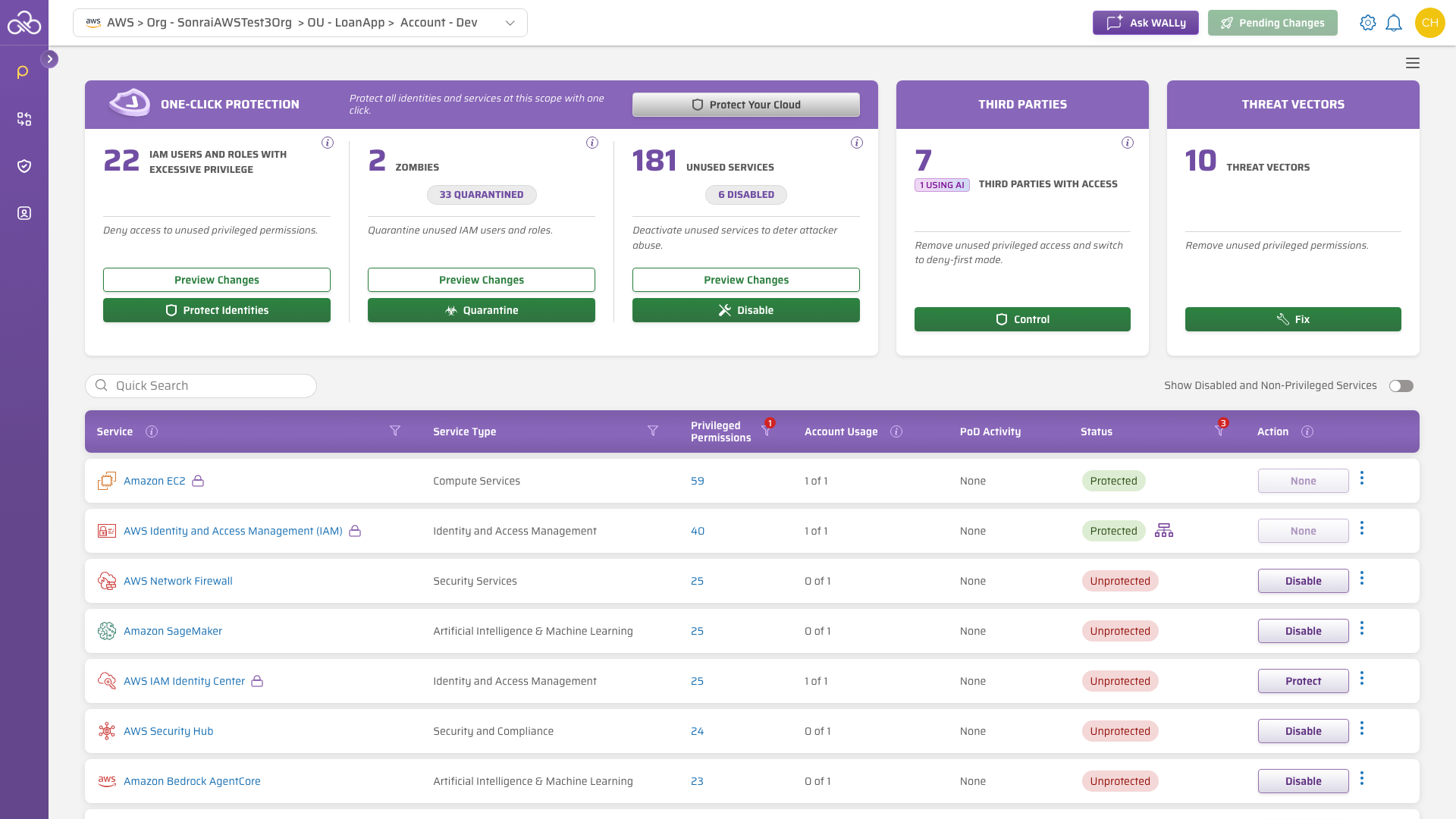
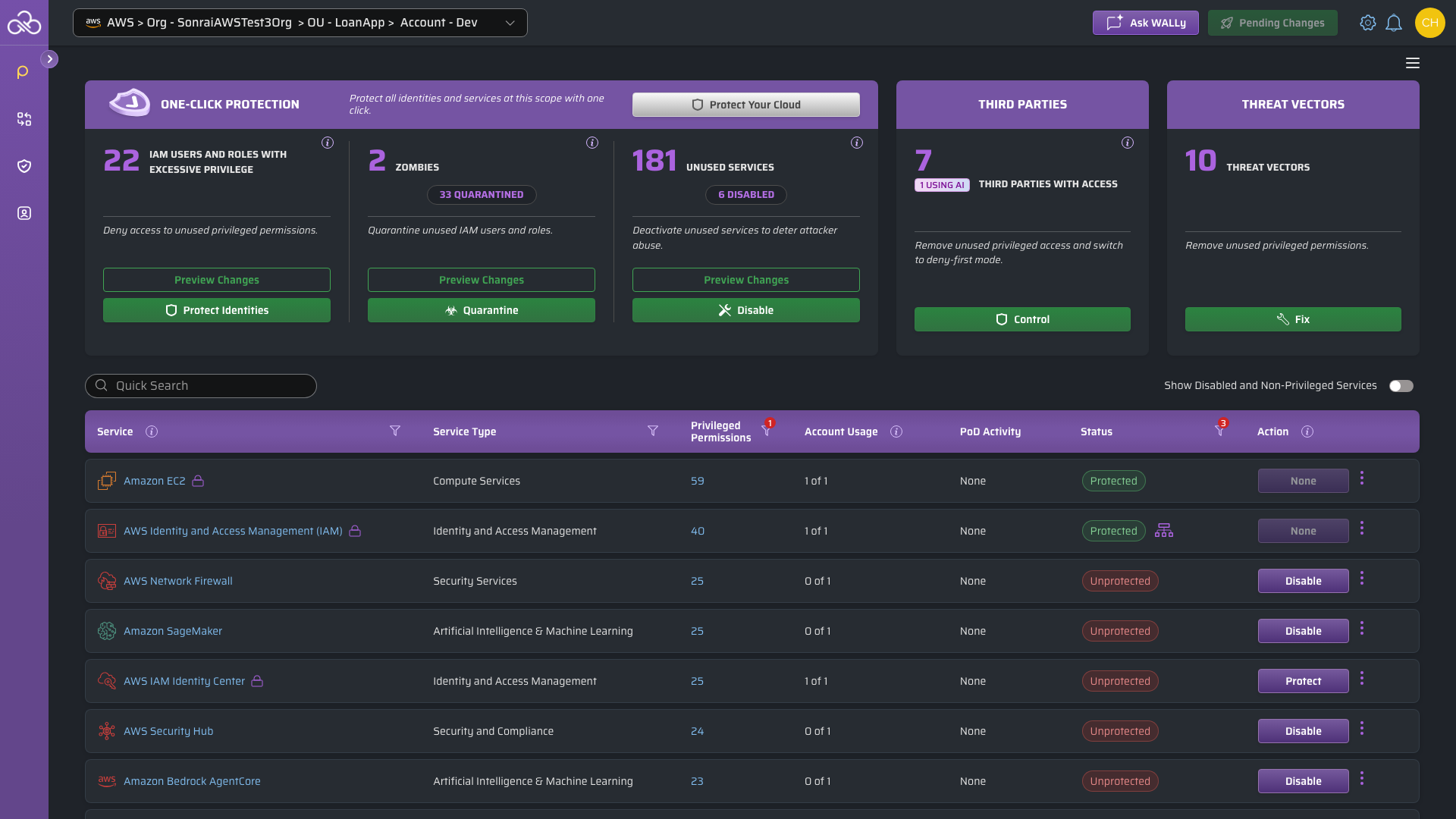
When changing your scope to a specific AWS OU/Account, the number of Services listed does not change overall but the "Account Usage" column reflects x of 1 rather than the original x of y (*where y represents the full number of accounts in your onboarded Organization(s)).
Filter by Status
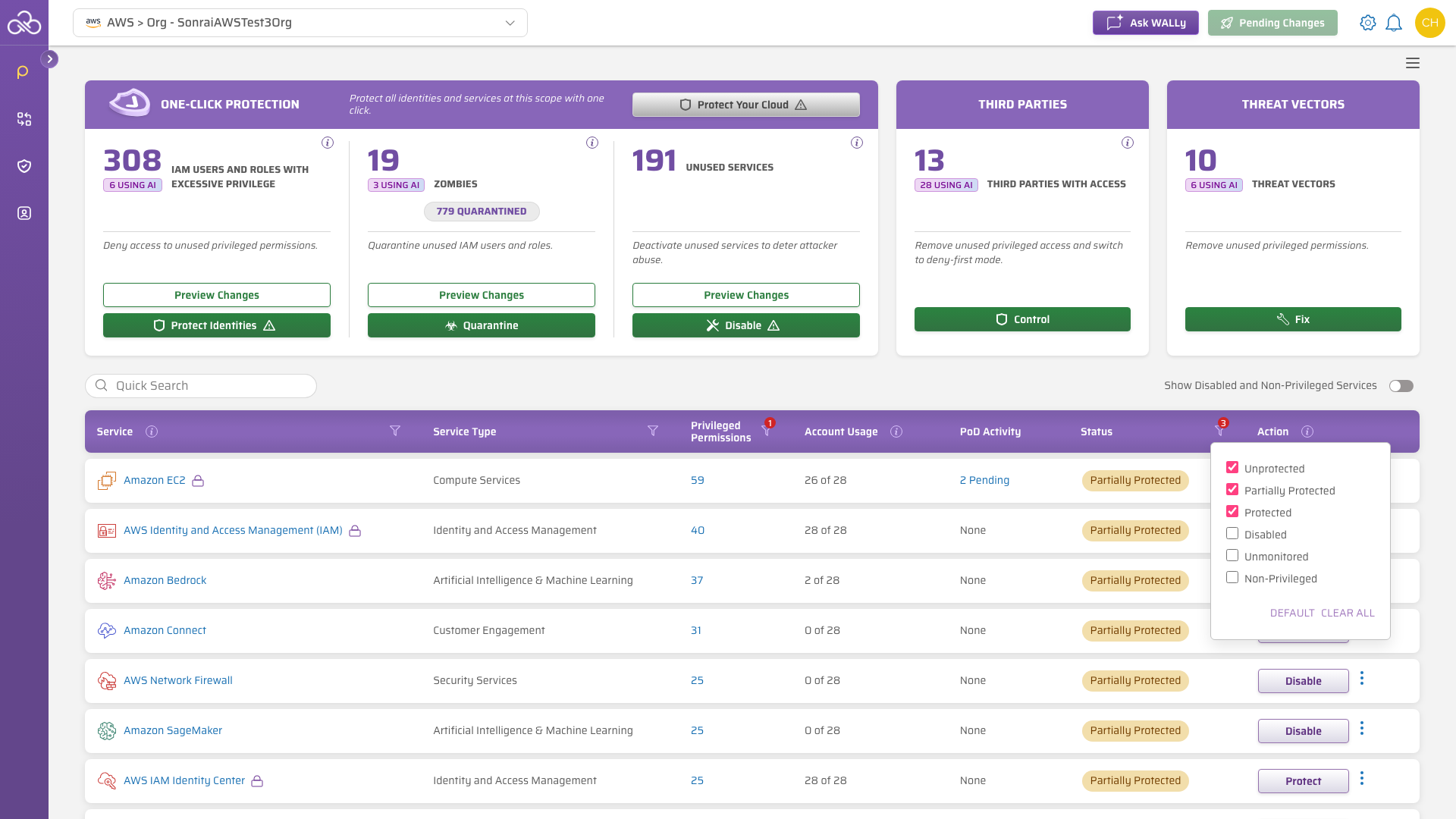
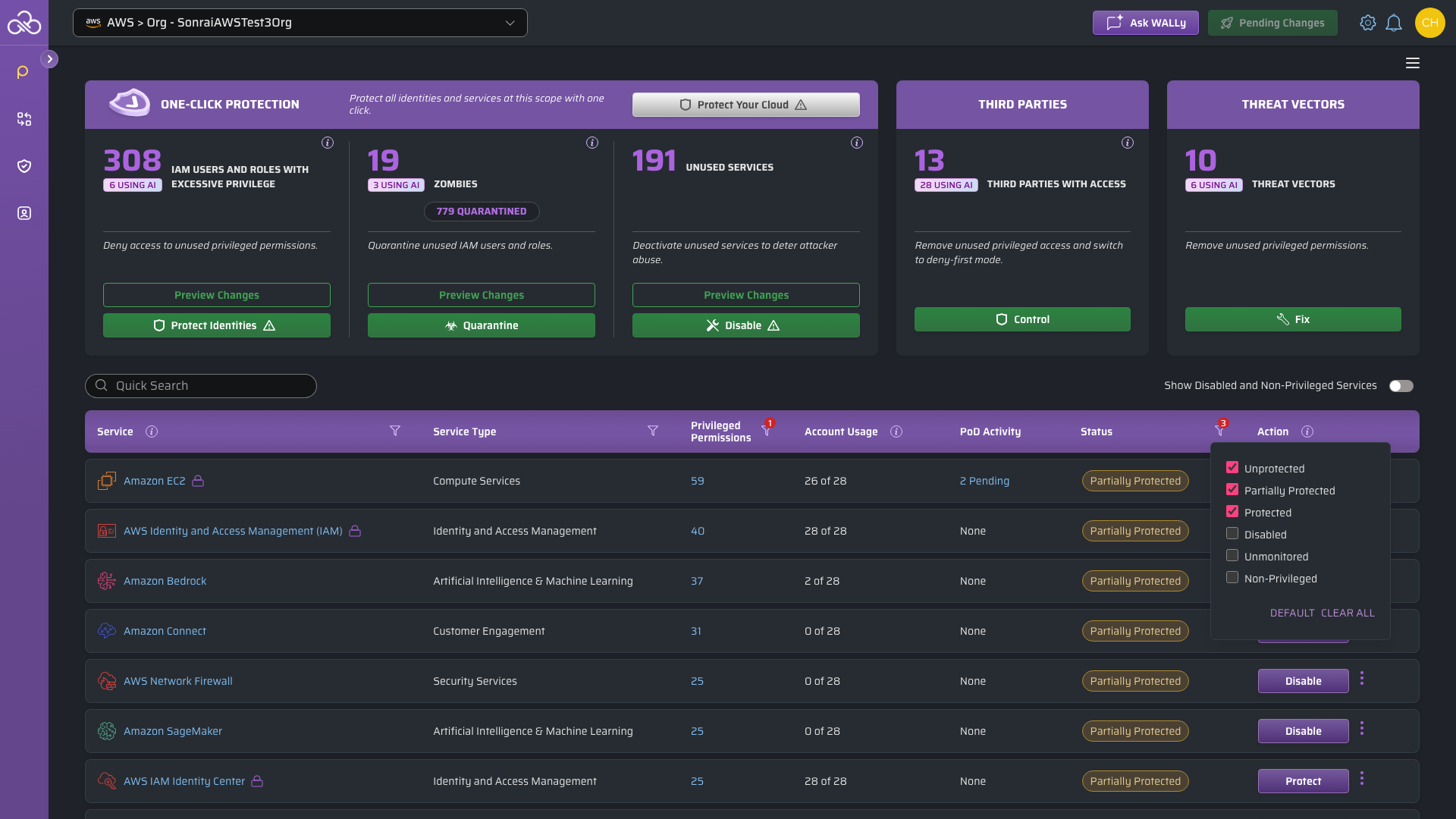
To narrow the table to the Services you are working through, click the filter icon on the Status column header. The badge on the icon counts how many states are currently included.
CPF shows three states by default – Unprotected, Partially Protected and Protected – and leaves Disabled, Unmonitored and Non-Privileged out of the table. Tick or untick any state to change what is listed, then use Clear all to start from an empty selection, or Default to return to the three shown initially.
Implement Service Protections [Privileged Service Access Controls]
When privileged permissions for a service remain enabled, but unused, it provides an avenue for lateral movement in the case of a breach.
Scenario
"Our developers use EC2 extensively and we do have some machine identities, but our Sales staff don't need those privileged permissions."Action
This scenario is a little more complicated than a straightforward service block... You can't disable this service across the board, but you have defined the requirements above and can leverage the button to implement least privilege controls.In this scenario, lets say we have separate AWS Accounts configured for development and sales. We need to protect the EC2 service for the development account, making identity exemptions as needed.
On the Services page, on the right-hand side of the table row, click .
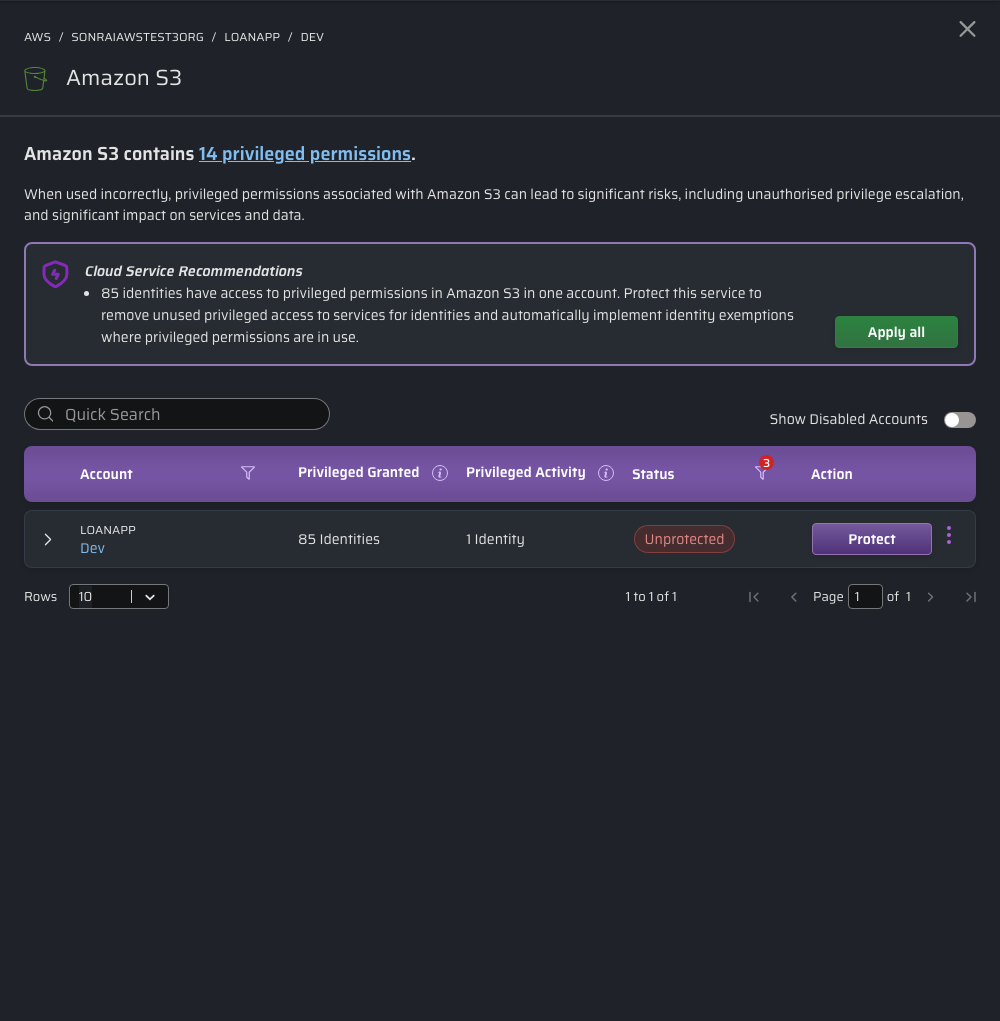
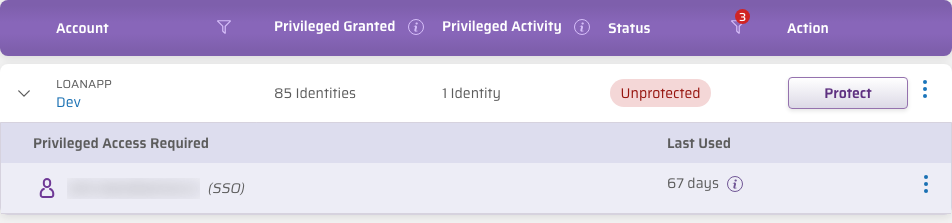
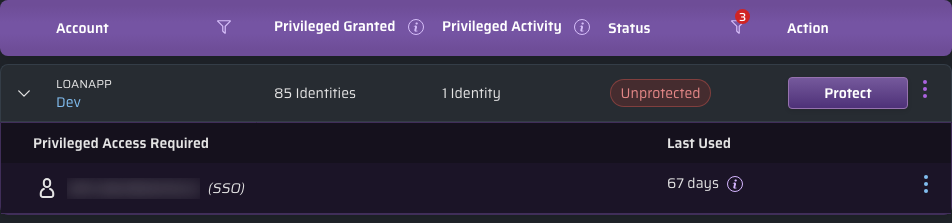
Clicking produces a slide-in panel from the right, detailing:
- a concise problem statement ("EC2 contains X privileged permissions") including a linked pop out modal listing the associated privileged permissions in question
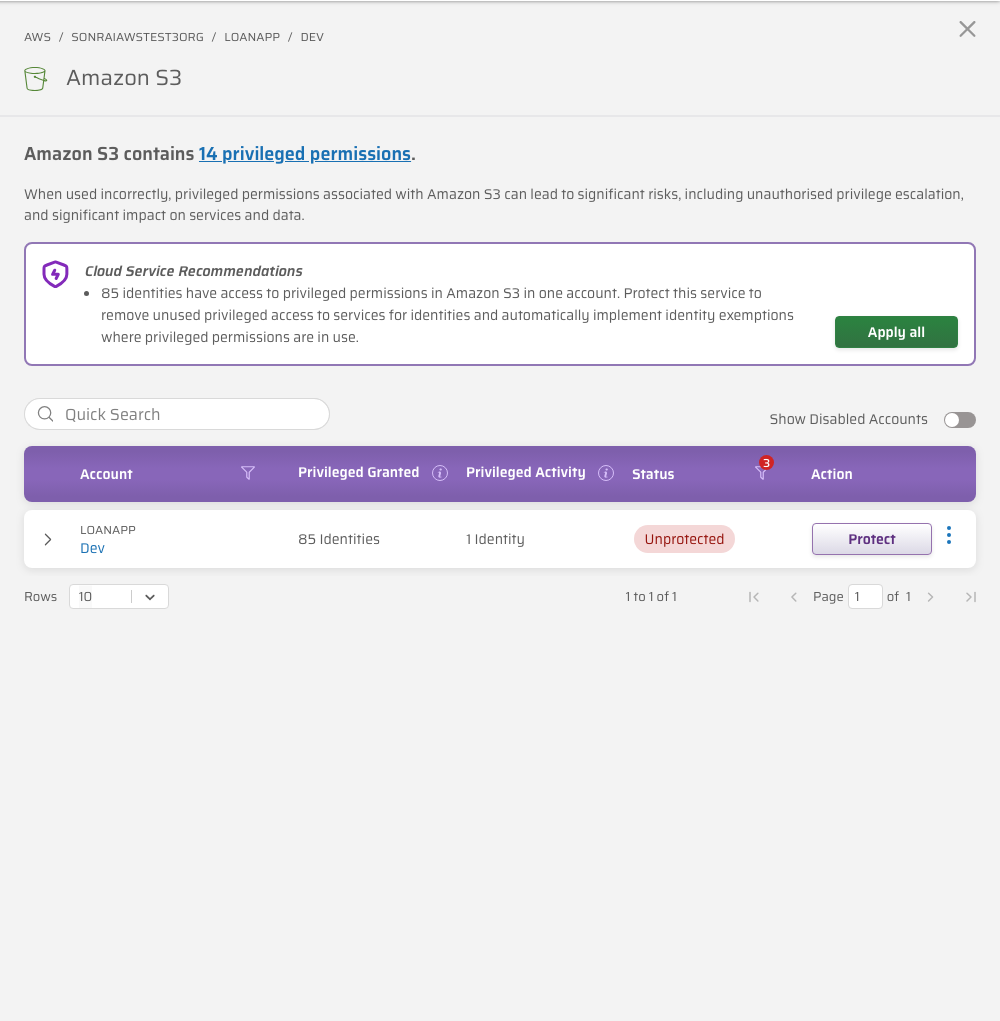
- if applicable, a linked list of identities previously/presently exempted at this scope
- a list of accounts within scope in which the service should be either disabled or protected
- our recommendations for each account where "Privileged Access Required" (i.e. the identities we think you should deem as acceptable use for these privileged permissions)
Restrict a Service for Account(s) Within Scope
Within the development account row of the slide-in panel table, click to limit access to this service to only those identities that are currently using the permissions within the past 90 days (i.e. our "Privileged Access Required" pre-populated list).


These types of protections do not remove previously created elements of your cloud, simply the ability for identities to make more.
For example, the privileged permissions involved with the EC2 service could be controlled and removed from most [or perhaps all] users in a particular part of your cloud hierarchy. Removing this permission from your cloud identities, however, does not remove any existing internet gateways!
Exempting an Identity (at an Account Level)
Exemptions are used to override a specific service protection for a particular identity. Sometimes there are exceptions to the list and identities that lie outside of our "Privileged Access Required" recommendations that you may like to exempt such as break glass identities or identities for newly onboarded employees.
Even exempted identities are subject to abide by service blocks, meaning they too will be blocked from using any permissions afforded to them for that particular disabled service! If an identity requires the service's privileged permissions, you will need to protect the service instead and remove permissions from identities which have no need.
Reference: See here for more information on exemption-worthy personas.
Scenario
"We enabled the EC2 service protection in the past for the developers account, but our new hire Robin still can't use any of those privileged permissions for the EC2 service"We need to exempt the identity!
Action
Because it's a new identity, it hasn't had the chance to use the service within the past 90 days and so it's not included within the baselined service protection grouping already. We need to explicitly allow this identity to use the EC2 service and leverage the permissions you've assigned within your cloud.The list shown against an account depends on whether that account is protected yet:
| Account status | List shown | available |
|---|---|---|
| Unprotected | "Privileged Access Required" – the identities CPF has seen using these privileged permissions, which it will exempt for you when you protect the account | ❌ |
| Protected | "Exemptions" – the identities currently exempted from the protection | ✅ |
Once the account is protected, click , choose the applicable menu option and paste in the identity's AWS ARN to add it to that account's Exemptions list.
Granular control of identities via SSO is currently limited to integrations through AWS Identity Center. Third-party integrations such as Ping or Okta direct into accounts are not currently supported.
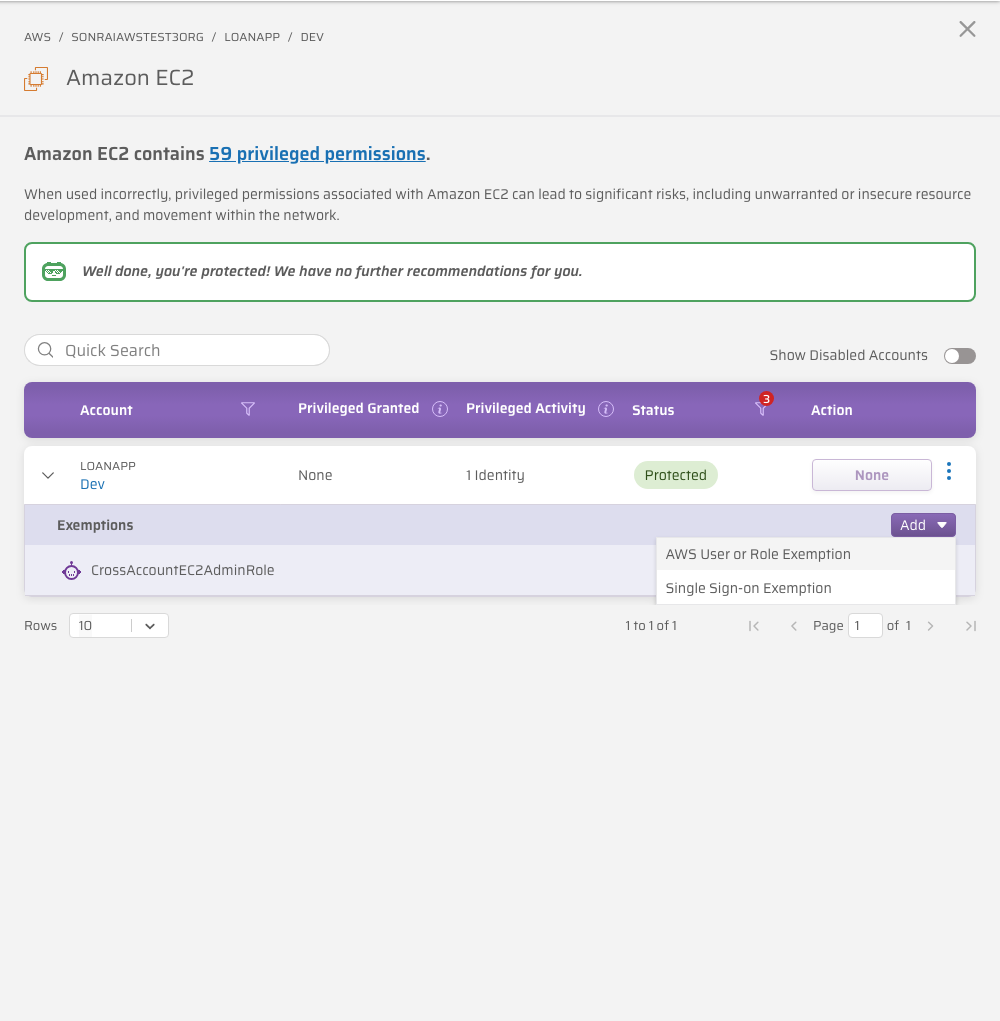
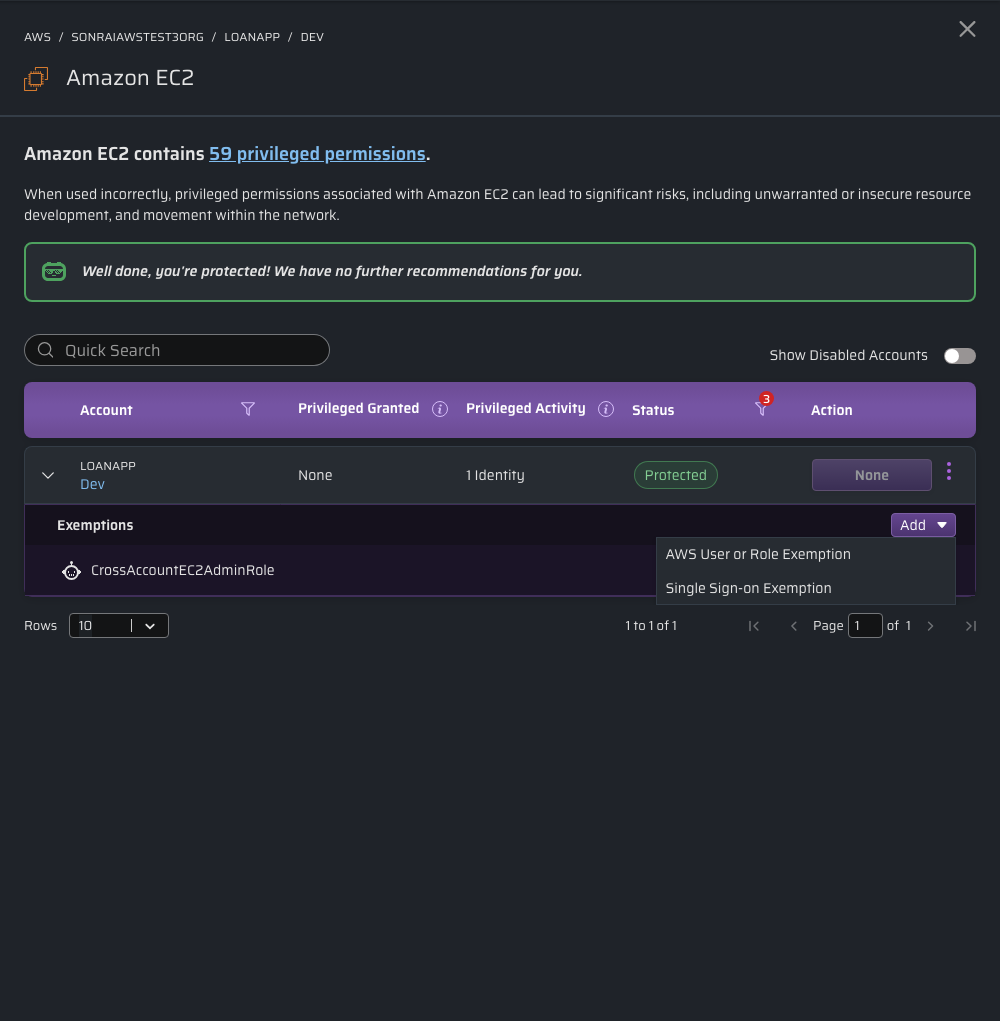
- Single Sign-On (SSO) Exemption format
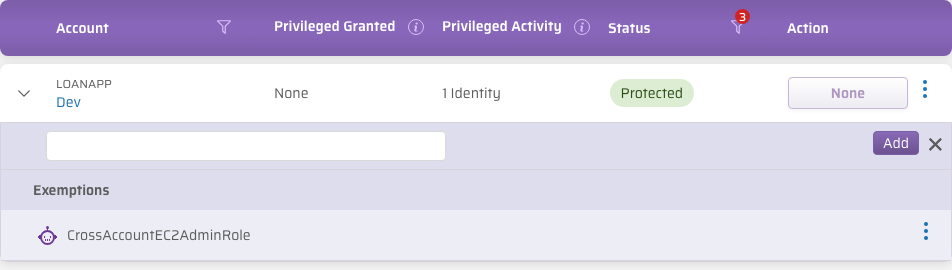
- AWS User or Role Exemption format
Single Sign-On (SSO) Exemption format
Enter the identity's email address, for example user@example.com.
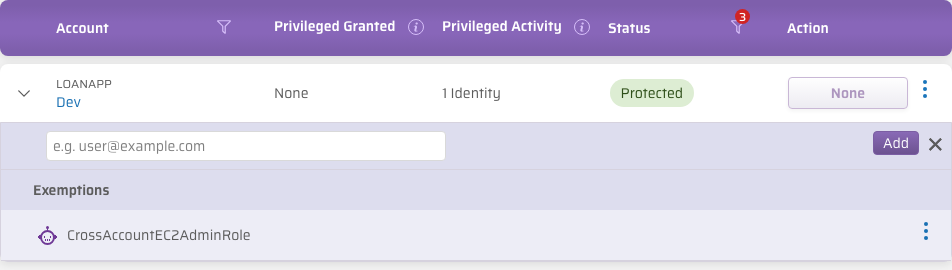
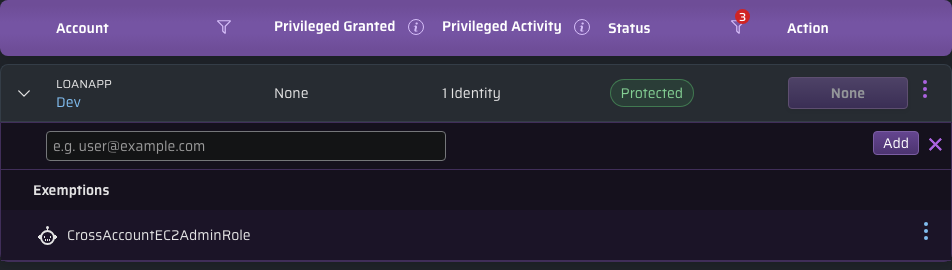
AWS User or Role Exemption format
Paste the identity's full ARN, in the form arn:aws:iam::<account>:<type>/<name> – for example arn:aws:iam::123456789012:role/MyExactRoleName. This field does not currently display a format hint, so copy the ARN from the AWS console or from the identity's page in CPF.
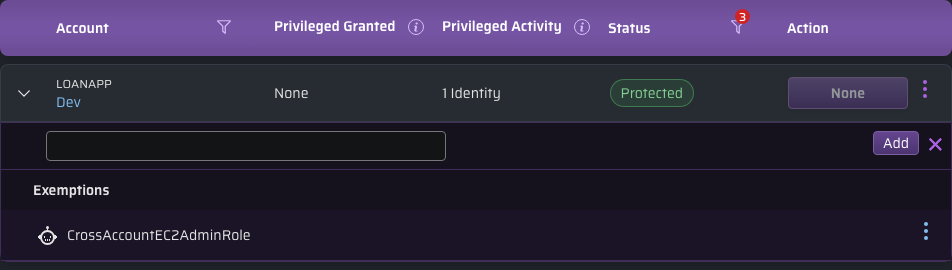
If necessary, hover over an identity in the "Privileged Access Required" column then click the 'X' to remove a recommendation from the list.
Please note: Removing an identity from the "Privileged Access Required" list will remove them forever (i.e. they will not reappear within that list, you will need to manually add the exemption by the button using its ARN [if exemption is required at a later date])
You can also more broadly exempt an identity to use privileged service permissions across a larger scope. See here for more information on scoped identity exemptions.
Revoking Exemptions Automatically
While creating exemptions can be an important – often necessary – tool for your cloud operations, a common issue with management involves knowing when an exemption is no longer needed, and when it should be removed. Leaving identities with unnecessary exemptions in your organization can create an additional threat vector, if those identities were ever compromised.
Don't worry: Sonrai can help! Under your Settings menu, you can be confident that unused exemptions will be automatically revoked when found, if they weren't used for the number of days specified. These settings ensure that exemptions remain in your system only when justified.
Automatic revocation is controlled separately for each type of identity, so you can apply it where it fits your security model without applying it everywhere:
- Automatically Revoke SSO Exemptions - revokes an SSO identity's privileged access exemption if it hasn't been used within the set number of days.
- Automatically Revoke Machine Identity Exemptions - revokes a machine identity's privileged access exemption if it hasn't been used within the set number of days. Machine identities include non-person identities, users, and roles.
Each option works independently: you can enable one, both, or neither. When an option is disabled, exemptions held by that type of identity are never considered for removal, so they generate no changes and no notifications.
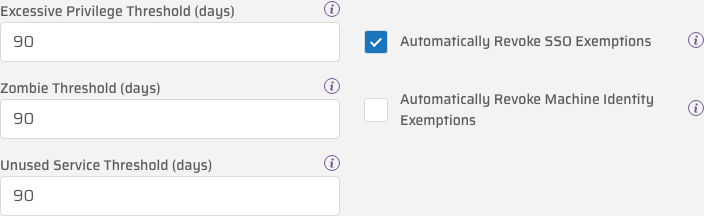
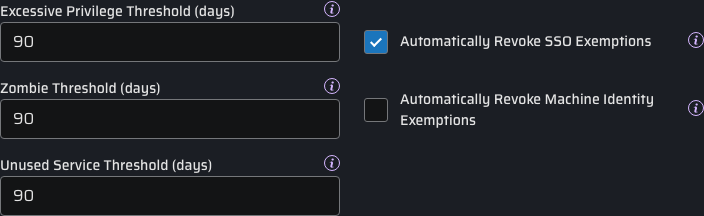
Although the default threshold when looking for unused exemptions is 90 days, you can configure the Excessive Privilege Threshold to whatever value best fits your security model.
Notification of Automated Changes
When exemptions are removed automatically, it's important that you are notified of the change; nobody likes surprises. So anytime Sonrai makes an automated change to your exempted identities, we send notifications to:
- all approvers at the scope where the exemption was applied
- any shared Chat Ops channels that are subscribed to changes at this scope
"The exemption for identity {user_name} on {service} in {account} has been revoked due to {90} days of inactivity. For more information on auto revocation of unused privileged exemptions, click here."
Additional Considerations
Q: After turning on this feature, how long before exemptions are checked and revoked?
A: It can take up to 24 hours before exemptions are affected. (Sonrai checks for unused exemptions once a day.)
Q: Does this feature apply to all exemptions?
A: No. Automatic revocation applies only to the exemptions you add against a protected service – the "Privileged Access Required" list described above.
The identity exemptions you set under Exempt at Scope are never revoked automatically.
Q: Why? Shouldn’t we remove excess permissions from all users and accounts when they aren’t being used?
A: Although removing exemptions helps to prevent overprivileged users in your cloud, there may be special cases when you don’t want permissions to be adjusted or removed automatically.
Consider the difference between these use cases:
- A developer is granted an exemption to an S3 bucket, but hasn't used that exemption in over 90 days. Removing the exemption makes sense; if that developer needs to access the same bucket later, getting access is just a Permission on Demand request away!
- An automated tool runs annually, and uses an identity with an exemption to support detailed audit processes. Even though this scheduled task is rarely used, you may not want to remove exemptions it requires.
- You configure a break glass account to handle emergency access. Having exemptions removed here could leave you without the ability to react when needed!
The first case describes an SSO identity; the last two describe IAM users and roles, which CPF counts as machine identities. Because the two settings are independent, you can enable Automatically Revoke SSO Exemptions to keep unused human access in check, while leaving Automatically Revoke Machine Identity Exemptions disabled so scheduled tooling and break glass identities keep the exemptions they depend on.
Review Your Changes
Now that you've scoped your view and chosen to protect a service and/or exempt an identity's access to service(s), click on the confirmation modal to transfer the changes to the "Pending Changes" page for review.
Reference: See here for more information on the "Pending Changes" page.